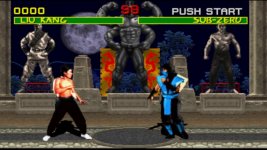
Mortal Kombat HD Remix with MUGEN

My characters are coded very different from standard mugen. Just about every state has been altered or made from scratch. I was careful to include options that ensure compatibility. That's why it works in standard mugen, using two engines in one. It changes depending on the enemy.

VS My characters, you get the new states.

VS normal characters, if the new state doesn't work, you get an alternate or basic state that they can work with.
 
Lui Kang Statue!

LUI_KANG_STATUE.png
 
Not really feeling the hair, looks like plastic, the back should be longer, eyes might be a bit too small, the old statue seems to have eyebrows on it.
 
I don't really like the crack in Liu's right arm and the stuff in the upper part of his left pectoral muscle, also the pants look sort of bad and there are not too much muscles... I mean, it looks a lot less defined than Goro in my opinion, why is this?
 
Hey guys it is Arq's model, not mine. Hopefully he will see your comments and fix that stuff.

Edit: you know what it might be my fault..lools like his normal map isn't loading. I will see if I can fix that which should add alot of definition to his muscles. The face is the face. If you didnt like it before you probably won't like it now. I will rerender with normal mapping on.


Model even doesn't look close to Ho Sung Pack.(
 
Lui Kang Statue!

LUI_KANG_STATUE.png

hello everyone, thanks for good comments cause I consider all of them good comments, about liu kang's model, I used face references to match as close as possible, the eyes are just the same size and place where ho sung pak's eyes are, the hair looks with volume cause it's an statue and statues looks that way, the problem with the arm is already fixed but I realized about it days before I handed the model to calactyte.

yes he is missing definition because the normal map and displacement maps are not loaded, can you load them cal please???

about he's likeness, when I started the first liu kang model I said I didn't know a lot about this 3d stuff but either ways I wanted to help create this great game, also I can't use zbrush a 100% cause I don't have a table so it's kind of hard to get things a 100% perfect with lazymouse in zbrush and sorry if you think he doesn't look like ho sung pak, but that's as far as I can get.

I really think this project should be as close as possible but remember Ninjas are easier cause 90% of their face is covered so you don't see likeness, muscles or even shoulders and also remember that I'm not bleed, this is the first time I make a 3d character, this is the first time I make an animation of this kind, I'm just trying to do my best.

great job on the statue cal!!!

well this is my first try with the fighting stance, but I need some help here, I used biped an I can't move his foot cause they return to the last position they were before because I used planted key, If I don't used it the model is like without floor, so that's why his right foot stays in the same spot.... what can I do??

http://www.megafileupload.com/en/file/386746/stance2-avi.html
 
Last edited:
I think it is mostly my fault. I need to get the normal displacement map on there. I think it'll help alot. Sorry Arq..I've been juggling things here at my day job and I didn't realize it until after I posted the image. An update will come from me soon but in the meantime I like Lui's Stance. Bleed can probably help with Character Studio, I never use it, since I prefer CAT.


hello everyone, thanks for good comments cause I consider all of them good comments, about liu kang's model, I used face references to match as close as possible, the eyes are just the same size and place where ho sung pak's eyes are, the hair looks with volume cause it's an statue and statues looks that way, the problem with the arm is already fixed but I realized about it days before I handed the model to calactyte.

yes he is missing definition because the normal map and displacement maps are not loaded, can you load them cal please???

about he's likeness, when I started the first liu kang model I said I didn't know a lot about this 3d stuff but either ways I wanted to help create this great game, also I can't use zbrush a 100% cause I don't have a table so it's kind of hard to get things a 100% perfect with lazymouse in zbrush and sorry if you think he doesn't look like ho sung pak, but that's as far as I can get.

I really think this project should be as close as possible but remember Ninjas are easier cause 90% of their face is covered so you don't see likeness, muscles or even shoulders and also remember that I'm not bleed, this is the first time I make a 3d character, this is the first time I make an animation of this kind, I'm just trying to do my best.

great job on the statue cal!!!

well this is my first try with the fighting stance, but I need some help here, I used biped an I can't move his foot cause they return to the last position they were before because I used planted key, If I don't used it the model is like without floor, so that's why his right foot stays in the same spot.... what can I do??

http://www.megafileupload.com/en/file/386746/stance2-avi.html

http://www.youtube.com/watch?v=URE3ouahNdQ&feature=youtu.be

 
I think it is mostly my fault. I need to get the normal displacement map on there. I think it'll help alot. Sorry Arq..I've been juggling things here at my day job and I didn't realize it until after I posted the image. An update will come from me soon but in the meantime I like Lui's Stance. Bleed can probably help with Character Studio, I never use it, since I prefer CAT.

don't worry bro, I liked it the way it was but displacement map and normal map will help a lot... can't wait to see see it with both of them.. don't use just the normal, use them both
 
In character studio you have 3 options for key frames.

Planted key = Makes the hand or foot stay locked in place. Can only rotate, not translate.

Sliding key = Similar to planted key, but allows translation. This results in a straighter transition from one position to the next, and allows the foot to bend in different ways, from the tip toes, ball of the foot or the heel, same with planted key.
In the IK section of the key info tab, you can change the pivot point of the foot when using Planted and Sliding keys.

Free key / Set Key = This is for when you want to move freely, a foot will slide normally if you try to keep it still. You have to change the motion curves to a sharp line for it to move more like planted or sliding keys.


If you are trying to move the foot, and it is snapping back. It means you are using planted key, that's what it's for.

If you want to have a pretty straight transition, use sliding key for the next frame and you can move that one.

A combination of these two is good for walk animations, and other animations where the feet stay close to the ground or shuffle around.

For doing something more wild, like a kick. You can use the sliding keys, but usually the Free keys are better for that.

You may even start with a planted key, use a sliding key to slide the foot and lift the heel, then use a free key when the foot is totally off the ground.

If you need an instant switch in movement options, you can have one key, right next to the other.

If you are using Free keys, but you want to lock/Anchor the hands or feet in place, while you move the torso. Use the Key framing tools, there is an option to lock the hands or feet. You turn that on, pose the model and turn the lock off when moving to the next frame. I don't use it too often, but now and then it comes in handy.


Remember to use the curve editor with every animation, it's very important. It makes the difference between choppy and smooth motions. The curves can also be manipulated through the Key info tab, with the different spinners. The Tension spinner is the one I use the most, but generally I don't need to mess with it. That works better right in the curve editor, moving the keys around by hand.

Use the trajectory view once in a while, so you can check the arc of motion. You can see a trail, and notice if it's wobbly or not looking how you want.
 
Last edited:
In character studio you have 3 options for key frames.

Planted key = Makes the hand or foot stay locked in place. Can only rotate, not translate.

thanks bleed, you are the god of thunder!! LOL, did you see the animation??? I want you to see it and tell me how it looks, it's my firts character animation in my whole life....

I haven't use the curves cause I didn't know how to use it but with this information I give it a try.. and thanks again
 
Arq, you're doing great work and I admire your ability to take critique so well, that alone adds value to the team. I'm also wondering if it is too late to alter the proportions of liu kang's body? or if we should move along? I think he looks great either way. I have a few small ideas but it is possible that I'm over-analyzing.

Cal, I should have a good amount of time to get busy on the warrior shrine fighters mid/late next week (if it's still open to me) and I will try and organize my time better with my real job, daddy duties and this project by then as well.

Also, will you be adding the moonlighting to the fighters? If not, I imagine that I could do it but I think as much lighting that could be done in your 3D software beforehand would be best ultimately. Cracks, small details, adjustments and finishing touches would be no problem though, of course.

I appreciate everyones patience, a lot of "life" has happened since I joined this project, but this is still something that I very much want to do.

Stay good.
 
Arq, you're doing great work and I admire your ability to take critique so well, that alone adds value to the team. I'm also wondering if it is too late to alter the proportions of liu kang's body? or if we should move along? I think he looks great either way. I have a few small ideas but it is possible that I'm over-analyzing.

Cal, I should have a good amount of time to get busy on the warrior shrine fighters mid/late next week (if it's still open to me) and I will try and organize my time better with my real job, daddy duties and this project by then as well.

Also, will you be adding the moonlighting to the fighters? If not, I imagine that I could do it but I think as much lighting that could be done in your 3D software beforehand would be best ultimately. Cracks, small details, adjustments and finishing touches would be no problem though, of course.

I appreciate everyones patience, a lot of "life" has happened since I joined this project, but this is still something that I very much want to do.

Stay good.

hey there MrMos3s, thanks for your comments, to tell you the truth man it's kind of hard to chage liu kang's proportions cause that means going back to zbrush and believe me, IT'S A HELL OF A JOB to do everything again, export textures, rigging, skinning and starting animation from scratch... but I won't lie to you, this model matches ho sung pak proportions, you can you back a few pages in this forum and you'll find when I posted both pictures, the model and the real one so everyone realices about the proportions.

but either ways I would love to listen to your ideas

about the moonlight, all the characters have an strong lighting coming from behind but since scorpion, sub-cero, and reptile don't have it I won't use it on liu either... but for the statues it would be really nice to see that strong light coming from the moon like in this picture

MKHDGame 2013-01-19 13-53-40-03.jpg
 
New Lui Kang Statue:

LUI_KANG_STATUE.png


hey there MrMos3s, thanks for your comments, to tell you the truth man it's kind of hard to chage liu kang's proportions cause that means going back to zbrush and believe me, IT'S A HELL OF A JOB to do everything again, export textures, rigging, skinning and starting animation from scratch... but I won't lie to you, this model matches ho sung pak proportions, you can you back a few pages in this forum and you'll find when I posted both pictures, the model and the real one so everyone realices about the proportions.

but either ways I would love to listen to your ideas

about the moonlight, all the characters have an strong lighting coming from behind but since scorpion, sub-cero, and reptile don't have it I won't use it on liu either... but for the statues it would be really nice to see that strong light coming from the moon like in this picture

View attachment 4702
 
I'll see what I can do about the moonlight if that will help you, for now I've gotta get some sleep. Talk to you soon.

Arq, you're doing great work and I admire your ability to take critique so well, that alone adds value to the team. I'm also wondering if it is too late to alter the proportions of liu kang's body? or if we should move along? I think he looks great either way. I have a few small ideas but it is possible that I'm over-analyzing.

Cal, I should have a good amount of time to get busy on the warrior shrine fighters mid/late next week (if it's still open to me) and I will try and organize my time better with my real job, daddy duties and this project by then as well.

Also, will you be adding the moonlighting to the fighters? If not, I imagine that I could do it but I think as much lighting that could be done in your 3D software beforehand would be best ultimately. Cracks, small details, adjustments and finishing touches would be no problem though, of course.

I appreciate everyones patience, a lot of "life" has happened since I joined this project, but this is still something that I very much want to do.

Stay good.
 
The animation needs some changes to look, 1 natural, and 2 like the sprites. It's not something you'll be able to do right away, it takes a few tries before you notice the difference.

I can tell you that one of the main things that helped me was the discovery of the curve editor.

Another thing was working in steps. Blocking out the animation by adding a key pose at every 4 to 8 frames. Depends on the motion, but generally stay around there.

Use video reference as much as possible, you'll notice a lot of details that are missed if trying to animate from your imagination. You'll feel the motions also and sort of get an idea of how it should flow.

Think of the limb animation as a whip, sometimes I'll swing my arm around or whatever, act it out to get a clue.

When making the animations from MK, use mame and play the game one frame at a time, using pause.

P = Pause

Shift+P = advance one tic.

That will get you the timing for each pose, and you can use those numbers directly in your animation timeline.

In Max, I have the fps set to 60. I play Mame, and see how long a frame lasts for a particular animation. A jab's first frame may last 4 tics.

In max, put that key frame, and on the 4th frame after, add the next key pose.

Jab = 4,4,4

Max anim = KeyFrame,1,2,3,KeyFrame,1,2,3,KeyFrame

After blocking out the animation and you begin to smooth it out, some of these key poses can be removed. Depends on if it's helping or hurting your effort to smooth the motion.

Too many key frames are a pain to work with, because it's that much more of a mess to deal with. Too little key frames, and the motions become too stiff or slow, it just starts to look weird.

You have to think about what is causing things to happen, if the arm rotates, it's not just the shoulder. You'll probably have the hip rotate, then the torso then the shoulder and then the arm. It's like a wave going through the body.


etc. lots of little details...
 
Last edited:
Top